Finder, with the
missing pieces.
Folio is a Mac file manager built around the things Finder still doesn't do — a right-click menu that actually does something, batch rename with a live preview, and two folders side by side.
Version 0.2.2 · 1.4 MB · Apple silicon & Intel · No account, no tracking
Three things you'll use every day
Not a reskin. These are the operations that made us open Terminal, install plug-ins, or give up.
A context menu that earns its name
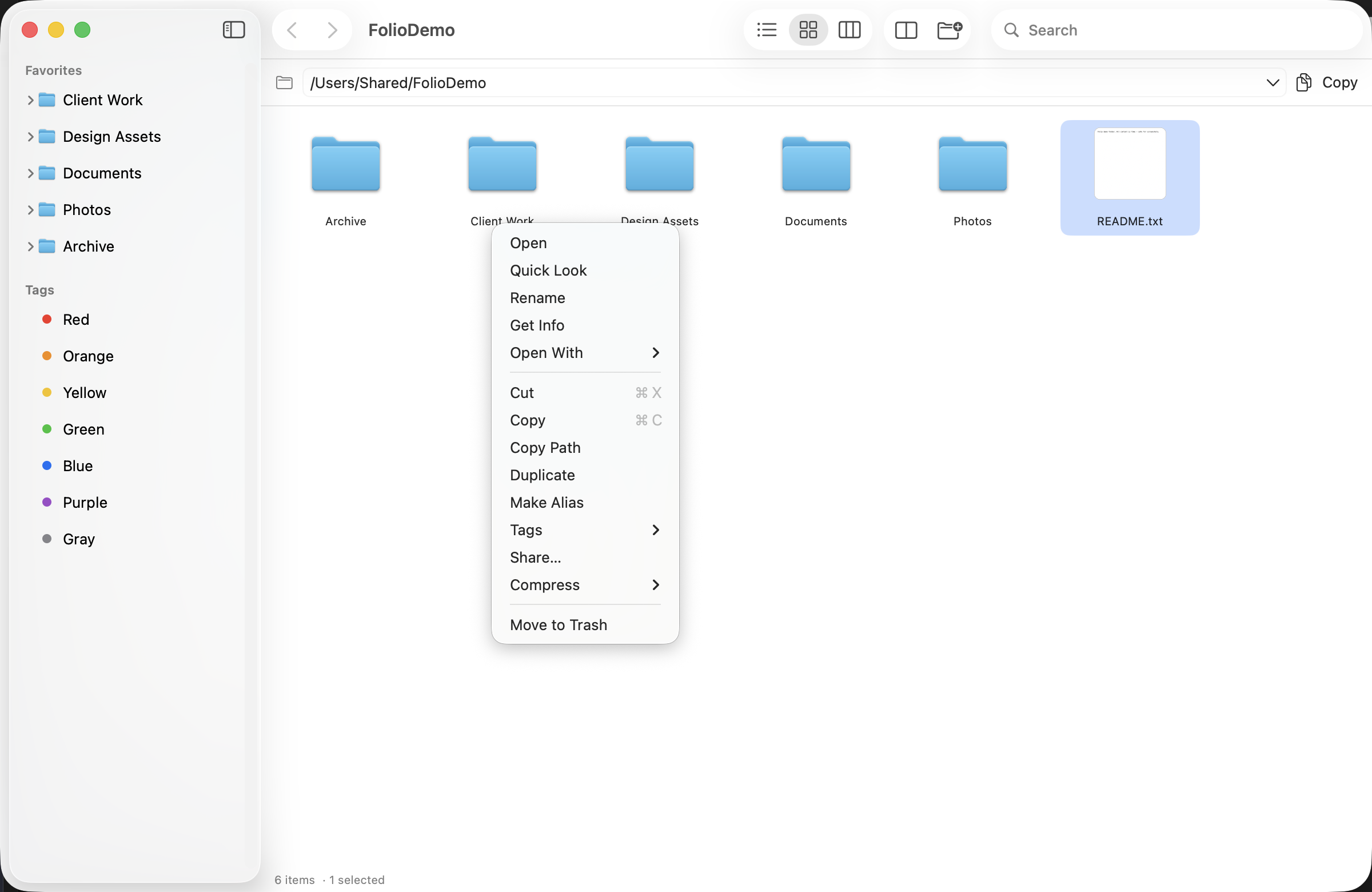
Copy a path. Make an alias. See how big a folder really is. Compress to the format you actually need. All one right-click away.
- ✓Copy Path — the full path, straight to the clipboard
- ✓Calculate Size — folder sizes on demand, no Get Info round-trip
- ✓Compress as zip, 7z or tar.gz — and extract in place
- ✓Open in Terminal, right where you're standing
Rename 500 files in one pass
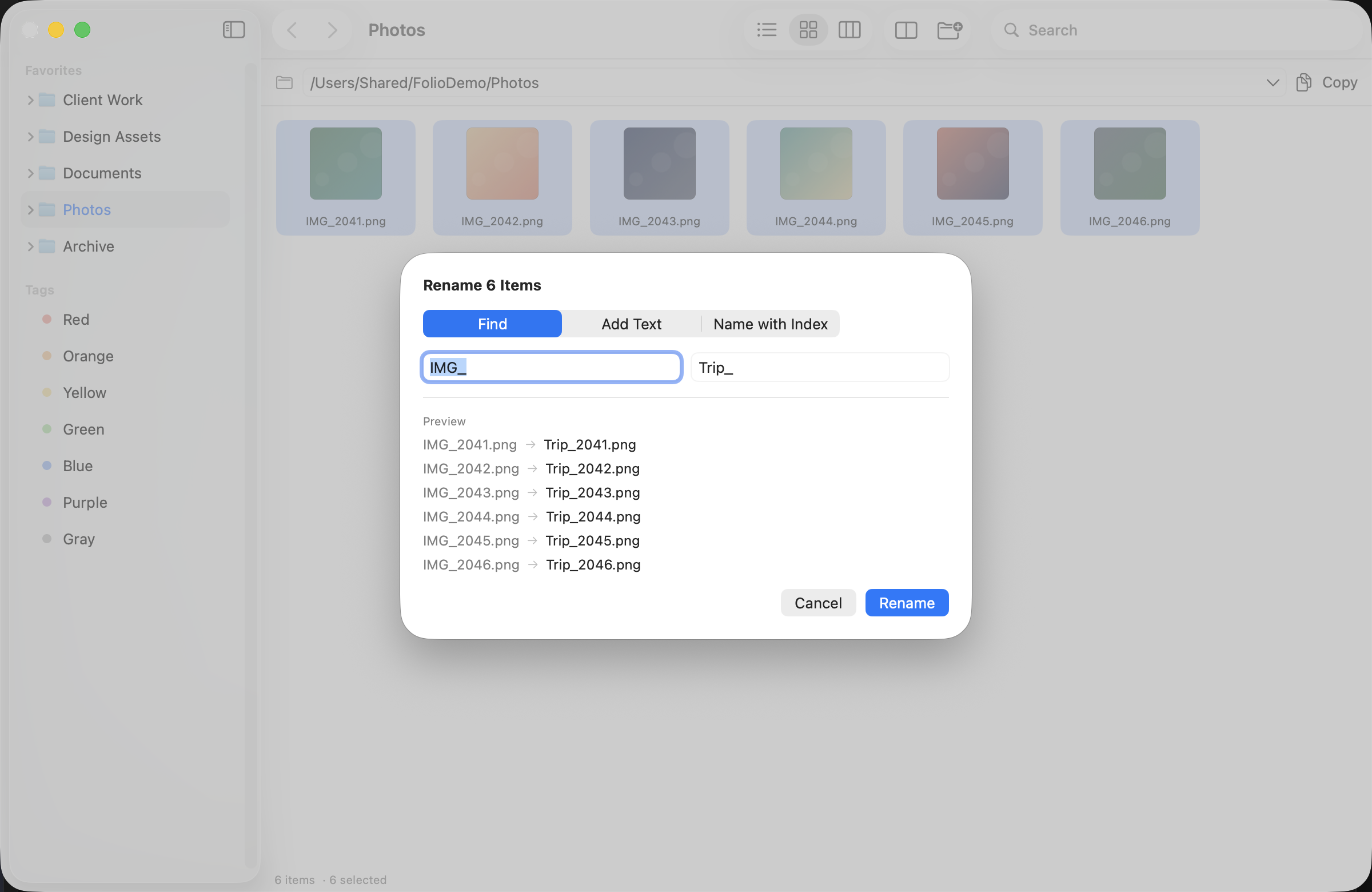
Find and replace, insert text, or number a sequence — with the old and new names side by side before anything touches disk.
- ✓Live preview — every row shows exactly what it will become
- ✓Replace, add text, or name with index
- ✓Extension-safe: the
.pngstays where it belongs - ✓One click to apply, one to undo
Two folders. One window.
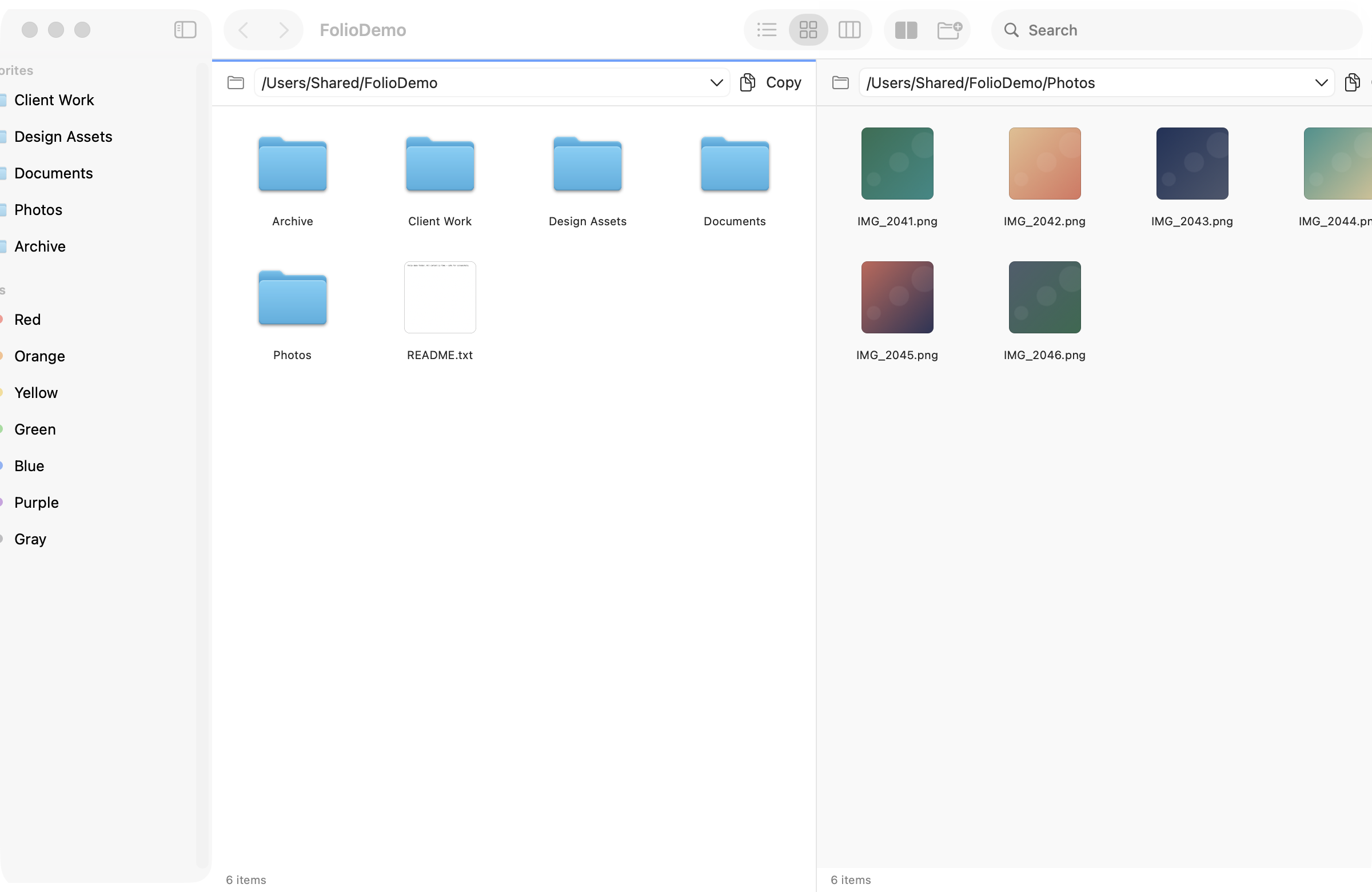
Stop opening a second Finder window and dragging across your desktop. Split the view and move files between panes.
- ✓Each pane keeps its own view mode, sort order and folder
- ✓Drag a whole multi-selection from left to right
- ✓Swap panes with a keystroke, close one when you're done
- ✓Works with tabs on top of it — organize two projects at once
Small things that add up
⌘K command palette
Jump to a folder, create something, toggle panes — without hunting through menus.
Inspector sidebar
Kind, size, dates, tags and location stay visible while you work — no Get Info window pile-up.
Real thumbnails
Images, PDFs and videos render as content previews, not generic document icons.
Multi-select drag
Drag a whole selection at once, with a count badge, the way it should work.
Tabs & workspaces
Keep several locations open, then come back to the same set of panes later.
Tags, anywhere
Color tags with dots, filterable from the sidebar, applied to a whole selection in one go.
Questions, answered plainly
Is Folio free?
Yes — free while it's in beta. No account, no trial timer, no feature locks. If a paid Pro version ever ships, everything you can do today will stay free.
macOS says the app is from an unidentified developer. What now?
Folio isn't notarized yet. The first time you open it, right-click the app in Finder, choose Open, then confirm Open again. After that it launches normally. Notarization is in the works — it removes this step entirely.
Which Macs does it run on?
macOS 14 Sonoma or later, on Apple silicon and Intel. Around 1.4 MB — it's a native app, not an Electron wrapper.
Does it replace Finder?
No, and it doesn't try to. Folio sits alongside Finder and opens the folders you point it at. Keep Finder as your default; use Folio when you need panes, batch operations, or the context menu.
How do updates work?
In-app. Folio checks its own update feed, verifies the download (signature, bundle ID, version, SHA-256), then replaces itself and relaunches. One click per release.
What data does it send anywhere?
None. No analytics, no telemetry, no crash reporting, no account. The only network request the app makes is the update check.
Try it on your messiest folder
Free while in beta. If it doesn't earn a spot in your Dock in a week, delete it — no strings.
ZIP · 1.4 MB · macOS 14+ · First launch: right-click → Open